 Heure & Repères
Heure & Repères
Heure & Repères
Android app (fr.chabeaudyq.momhelp)
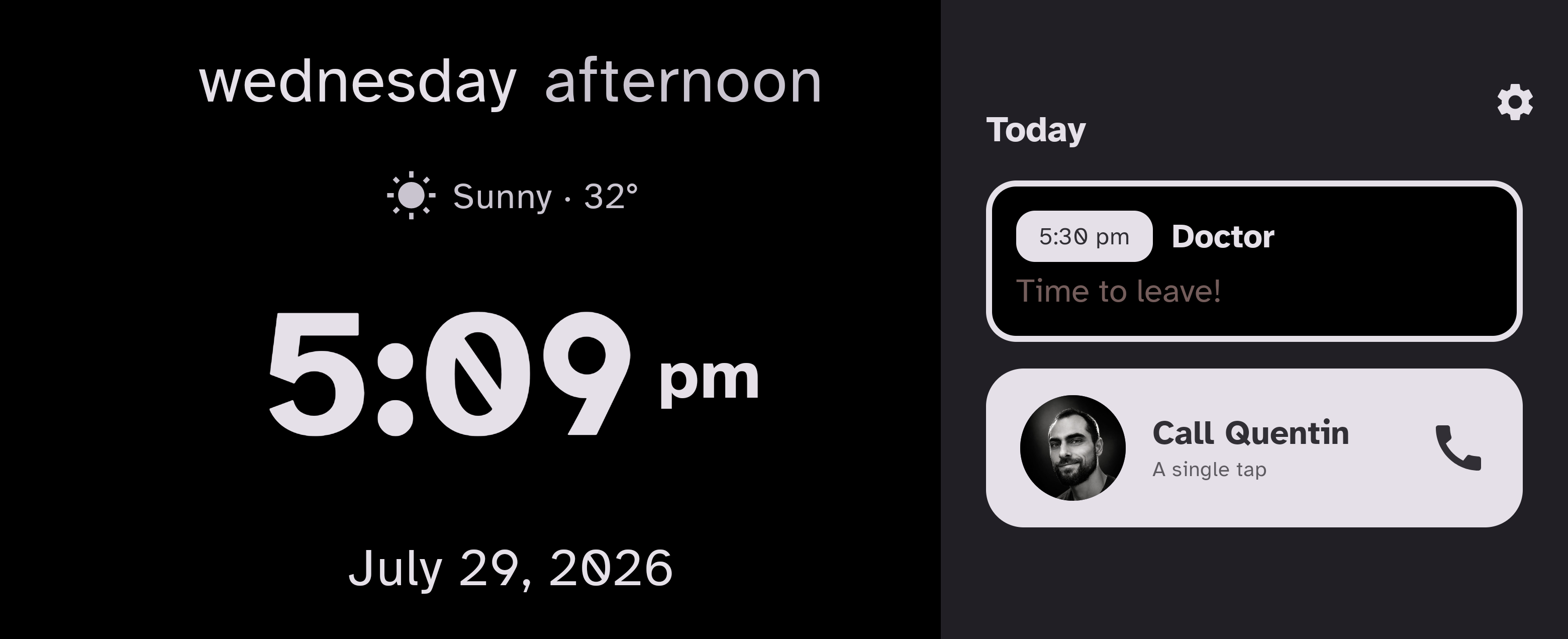
Heure & Repères is an Android app whose purpose is to help a person keep track of their day: it turns a tablet into an always-on screen that shows, in large type, what day it is, what time it is, the next appointment and the medications to take. It is meant to sit on a table or a shelf and answer, without a single tap, the questions someone asks themselves several times a day.
On the tablet
The always-on screen, for the person being helped. It shows the day, the time, the next appointment and the medications — and needs no interaction at all.
 Android 6.0 or later · free, ad-free
On your phone
The companion app, for the relative or caregiver. Set up the screen, change the appointments and treatments remotely, send a message, see today's medications.
Prepare the screen, then invite
The person being helped has nothing to set up, and no account to create on their tablet. Everything is prepared from the caregiver's phone.
The interface is available in French and in English.
The app is used by one person and set up by another — a relative or caregiver, who enters the appointments, the treatments and the phone number during a short guided setup. Day to day, the screen needs no interaction: it updates on its own and stays on.
The app works fully without any account: everything is entered in the app and stored on the device. Signing in with Google is optional and serves two independent purposes, each turned on separately in the settings:
Either purpose can be turned off at any time, independently of the other. Details in the privacy policy.
Android 6.0 or later, tablet or phone; the layout is designed for a tablet left on a stand. The app is free, ad-free, and currently distributed to a small circle of testers.
Questions, bug reports, deletion requests: contact@heure-et-reperes.fr.